

Traffitech-GH
Traffictech-Gh General and notification FAQs
General Enquiries
1.What is
Traffitech-GH?
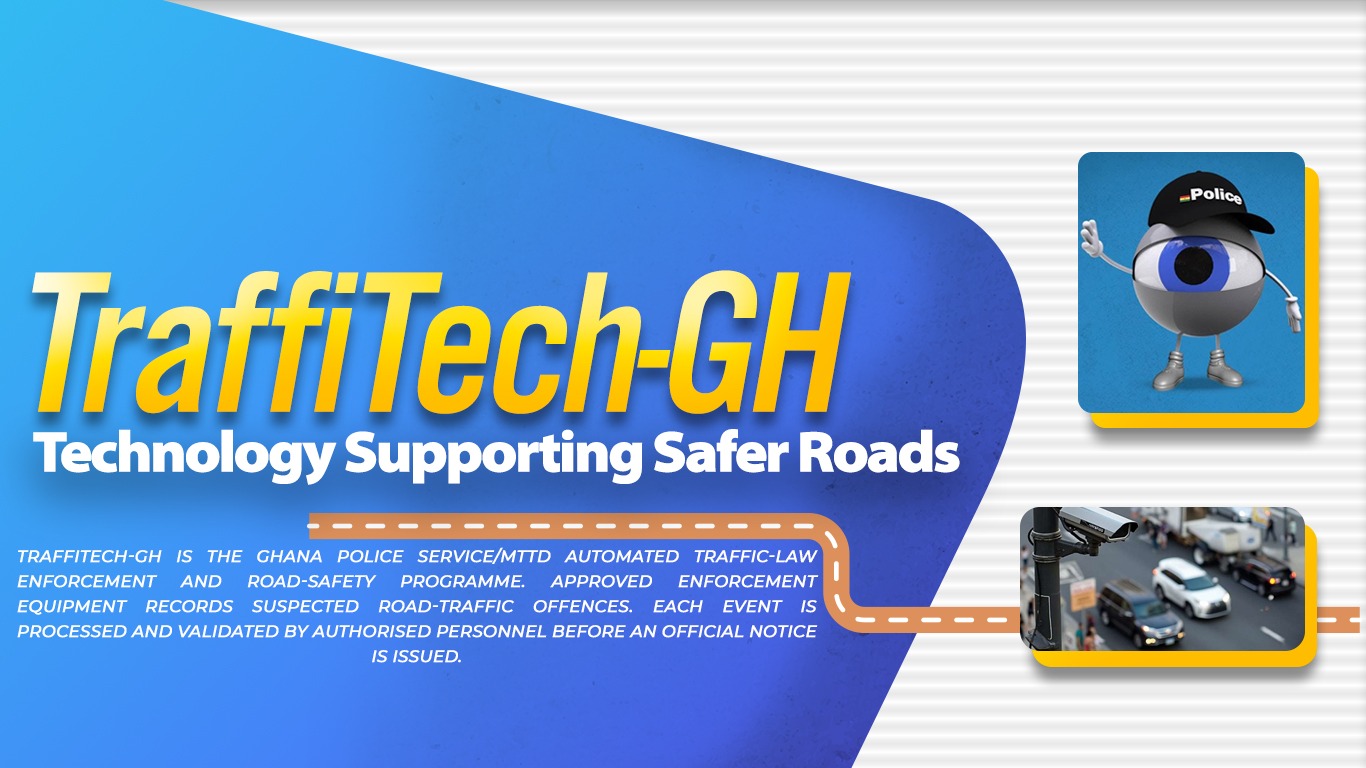
Traffitech-GH is an automated system
developed by the Ghana Police Service
(GPS) to enforce road traffic laws and
regulations to improve road safety in
Ghana.
The system uses cameras and sensors
to automatically take a picture and/or
video of vehicles that flout road traffic
laws and regulations such as speeding
and running a red light.
1.1 What are the
Objectives/Benefits
of Traffitech-GH?
Traffitech-GH seeks to increase
compliance with road traffic laws and
regulations to reduce road traffic
crashes, deaths and injuries.
1.2. How does Traffitech-GH Work?
An ENV is an SMS issued by the GPS-MTTD. Before taking any action, offenders are advised to check the Sender ID which should read GPS-MTTD. The ENV will have a Ticket Number and will indicate the location, date, and time of the traffic offence, as well as the vehicle registration number, offence description, payment amount, and payment deadline. Other traffic offences that will be enforced under Traffitech-GH include expired roadworthiness certificates, wrongful overtaking, non-use of seatbelts, use of an expired licence, driving an uninsured vehicle and the misuse of sirens. Traffitech-GH will deploy fixed, mobile/in-vehicle and laser speed-measurement devices to capture offences including speeding and running the red light. Pictures and/or videos of the offences are automatically transmitted to the back office for validation and issuance of a notification by SMS to the vehicle owner for payment. Camera-detected ENVs are issued to the registered vehicle owner. A driver receives a notice directly only following a roadside stop by an MTTD officer using a handheld Personal Digital Assistant(PDA). Once an offence is recorded by one of the Traffitech-GH devices, the GPS will review the offence and issue an Electronic Notice of Violation (ENV) by SMS to the vehicle owner or the person driving the vehicle at the time of the offence.
1.3. What should the ENV look like?
An ENV is an SMS issued by the GPS-MTTD. Before taking any action, offenders are advised to check the Sender ID which should read GPS-MTTD. The ENV will have a Ticket Number and will indicate the location, date, and time of the traffic offence, as well as the vehicle registration number, offence description, payment amount, and payment deadline
1.4. What should I do
when I receive an
Electronic Notice
of Violation from
Traffitech-GH?
. Review the evidence at
https://traffitech-ghpay.nib.com.gh using your Ticket
Number;
2.Pay within 14 days via an approved
channel; or
3.Contest online within 14 days.
1.5. Do I have to go to
court if I receive
an Electronic
Notice of
Violation (ENV)
from
Traffitech-GH?
No, you do not have to go to court
unless you wish to contest the ENV.
You can contest within 14 days after
the ENV issuance date.
1.6. How do I pay the
Traffitech-GH
fine?
Pay via https://traffitech-ghpay.nib.com.gh using mobile
money (MTN, Telecel, AirtelTigo) or a
debit or credit card. You may also dial
*710*0#
1.7. What are the
consequences of
defaulting on the
payment of the
Traffitech-GH
fine?
You will pay an additional 1% penalty
on the original Traffitech-GH fine for
each day of default after the 14-day
allowable payment period.
1.8 Why have I received an Electronic Notice of Violation for one of the following situations?
- A vehicle I do not own and have never owned
The Road Traffic Regulations, 2026 (L.I. 2519) provide that an Electronic Notice of Violation will be sent to the registered phone number of the owner of the violating vehicle.
If neither you nor your employer has ever owned the vehicle named in the ENV, contact the Traffitech-GH Call Centre immediately to report it. False reporting attracts additional penalties.
- A vehicle I have sold
If you are no longer the owner of the vehicle, you should have officially notified the Driver and Vehicle Licensing Authority (DVLA) at the time you sold the vehicle.
You remain legally responsible for violations committed with a vehicle registered in your name until the updated ownership status and telephone number are registered with the DVLA.
You are legally required to pay the fine specified in the ENV. You remain responsible for any Late Payment Penalty that accrues.
iii. A vehicle that was stolen or used for joyriding
In the case of theft, the owner of the vehicle should have immediately reported the theft to the Police.
- A vehicle I own but do not drive
The Road Traffic Regulations, 2026 (L.I. 2519) provide that an ENV will be sent to the registered phone number of the owner of the violating vehicle and that, as the vehicle owner, you are liable.
The registered owner remains liable regardless of who was driving.
1.9 The camera that registered my violation did not correctly measure the speed of my vehicle. I was not speeding. What should I know?
All speed-enforcement devices operating under Traffitech-GH, under the auspices of or on behalf of the GPS, are type-approved and periodically calibrated by the Ghana Standards Authority (GSA) based on internationally accepted standards.
1.10 I do not agree with the violation notice and wish to contest it in court. What should I do?
Contests must be started online within 14 days of the ENV issuance date. When you submit your contest, select your preferred MTTD regional police station and date. MTTD will confirm the appointment by SMS to the number on record. Bring your ENV reference number and a valid form of identification to the hearing.
1.11 Can I check whether there are outstanding fines on a vehicle I currently own, previously owned or intend to buy?
Yes. Dial *220# and follow the prompts to check whether the vehicle has any outstanding fines.
SMS and Electronic Notice of Violation FAQs
2.0 Why did I receive an SMS message called an Electronic Notice of Violation from the GPS-MTTD?
You received an SMS message titled ENV from the GPS-MTTD because a traffic offence has been recorded involving you or a vehicle registered in your name.
This message serves as a formal notification of the violation, providing details about the offence and any associated penalties.
2.1 I do not own a smartphone or have internet access. How can I view the evidence?
You can call the Call Centre on 059 692 2402.
2.2 How do I know that an Electronic Notice of Violation sent as an SMS message is real and not part of a scam?
Ensure the SMS Sender ID is GPS-MTTD.
If the message comes from any other Sender ID or contains a clickable link, it is likely a scam.
Do not click any link. Report the message to the GPS on 191 or 18555 (toll-free) immediately.
Vehicle FAQs
3.0 Why did I receive an Electronic Notice of Violation for a vehicle I have sold or no longer own?
You received an ENV for this vehicle because you had not effected the change of ownership in the vehicle register at the DVLA at the time the offence took place.
3.1 My vehicle or licence plates were stolen. Why do I have to pay for an Electronic Notice of Violation for an offence committed with my stolen vehicle or licence plates?
If your vehicle or licence plates were stolen, this must be reported to the GPS-MTTD, DVLA and your vehicle insurance company.
If you have a written police report stating that your vehicle or licence plates were stolen before the occurrence of the traffic offence, you can contest the offence online. Check the FAQs on contesting violations for more details.
Insurance Violation FAQs
Roadside Insurance Checks
4.0 I was stopped by an MTTD police officer and received a provisional electronic notice for not having proper insurance for a vehicle I was driving but do not own. Why did I receive the provisional electronic notice and not the vehicle owner?
As the driver of a vehicle, you are responsible for ensuring that the vehicle is covered by a valid motor insurance policy, regardless of ownership.
Before driving, you should verify that the vehicle has proper insurance. You can check the insurance status by dialing *920*57# on your mobile phone and then entering the vehicle registration number. This proactive step helps you avoid penalties and ensures compliance with the law.
4.1 I received a provisional violation notification by SMS with a 48-hour grace period to ensure the vehicle, but the owner cannot be reached. What should I do?
Only the owner can insure his or her vehicle. If the vehicle you were driving at the time of the traffic offence is not insured within 48 hours after you receive the provisional violation notification, you will automatically receive an ENV, which must be paid within 14 days.
4.2 I received a provisional violation notification by SMS with a 48-hour grace period to insure the vehicle, but I am certain that my vehicle is insured. What should I do?
Contact your insurance company to correct the data on your motor insurance policy.
Camera Measurement Evidence and Signage FAQs
5.0 Where can I find evidence of my offence?
To view the offence, go to https://traffitech-ghpay.nib.com.gh and enter your Ticket Number. After entering your Ticket Number, you will be taken to a screen with details of your offence. On that screen, select ‘View photo/video evidence, other violation data’ and check the video.
5.1 I was not ignoring the red light. It was still yellow when I entered the intersection. What should I do?
If the vehicle’s tires cross the stop line after the signal has turned red, you have committed a red-light offence.
If you are still of the opinion that the signal was yellow at the moment your vehicle’s tyre crossed the stop line, you may contest within 14 days of the ENV issuance date.
5.2 There was no speed-limit sign, and I still received a violation notification for speeding. How should I know the speed limit without a speed-limit sign?
Speed-limit signs have been installed at the beginning of, and at selected locations along, enforced road corridors.
In addition, the Road Traffic Regulations, 2026 (L.I. 2519) prescribe speed limits for all types of roads and vehicles in the country.
Generally, roads in Ghana are classified into four categories in relation to speed limits:
- 30 km/h – Within a school, playground, health facility, church, mosque, market, shopping centre or procession, or anywhere human activity is predominant.
- 50 km/h – Urban or built-up areas.
- 90 km/h – Highways.
- 100 km/h – Motorways.
A licensed driver must be conversant with the above whether or not a speed-limit sign is posted.
5.3 There was no warning sign for the enforcement camera or operation. Do I still have to pay?
Some road stretches or intersections have warning signs announcing enforcement actions or equipment; others do not. There is no legal obligation to announce MTTD-related traffic enforcement operations or equipment meant to improve road safety in Ghana.
The absence of a warning sign does not invalidate your traffic offence, and you remain liable.
5.4 Who has access to the photo and video evidence of my offence?
Access is limited to the vehicle owner or driver, authorized MTTD officers, back-office validation staff and the courts.
Contesting Violation FAQs
6.0 How do I contest?
- First, check the evidence. Go to https://traffitech-ghpay.nib.com.gh and enter your Ticket Number. On the offence-details screen, select ‘View photo/video evidence, other violation data’ and check the video.
- Start the contest procedure online. You cannot start the contest procedure at GPS-MTTD or Judicial Service offices.
- Contest your traffic violation within 14 days of the issuance date. After 14 days, you cannot contest the violation.
- After you submit your contest and select your preferred MTTD police station, an officer will contact you to arrange an appointment.
- After your visit to the police station, your hearing in court will be scheduled.
- If you change your mind during the contest process, you may pay the outstanding fine plus any accumulated Late Payment Penalty. Payment will end the contest process, and you will receive a receipt by SMS.
6.1 What documents or information may I need to contest an ENV?
You may be required to provide:
- Your Ticket Number.
- Vehicle registration number.
- Contact details.
- Any supporting documents relevant to your contest.
- Any police report or other official document, where applicable.
Further instructions will be provided during the official contest process.
6.2 Can I contest an ENV on behalf of a company or organisation?
A contest may only be made by the person entitled to do so under the applicable process, or by a properly authorised representative where such representation is permitted. Supporting identification and authorisation documents may be required.
6.3 Can I still contest the violation after I have paid?
No. Payment constitutes settlement of the violation.
6.4 How will I know that my contest has been successfully submitted?
Once the contest process has been properly completed through the approved channel, you should receive confirmation or further communication through the contact details you provided. Motorists are advised to keep any acknowledgement, reference number or message received during the process.
Traffic Fine Late Payment Penalty and Payment FAQs
7.0 What happens if I do not pay the fine specified on the Electronic Notice of Violation?
The penalty adds 1% of the fine to the amount due for each day of default after the 14-day payment period. For information on DVLA restrictions, see Question 12.0 under DVLA Enforcement FAQs.
7.1 One sanction for defaulting on traffic fines is DVLA’s refusal to transact business with the defaulter. What should I do before visiting DVLA, and how do I pay my outstanding fine?
Before you go to DVLA for any service, first check your outstanding fines using your vehicle registration number or driver’s licence number by dialling *220#. Pay through https://traffitech-ghpay.nib.com.gh or dial *710*0#, select option 6, and then allow the stated period for the DVLA block to be lifted.
7.2 Where can I find out more about the fine level for each violation and the fine-calculation method with penalty points?
All automated traffic offences and fines are specified in the Ninth and Thirteenth Schedules of the Road Traffic Regulations, 2026 (L.I. 2519).
Personal Digital Assistant FAQs
8.0 We have seen the Police using a device to apprehend traffic offenders. What is it used for?
The device is called a Personal Digital Assistant. It enables the Police to record the details of the driver who committed the traffic offence or the vehicle used to commit it and then issue an Electronic Notice of Violation.
8.1 As a driver, do I need to carry my licence whenever I am driving?
No. You are not required to carry your licence. Simply remember your licence number or write it on a card and quote the number or show the card to the Police whenever they ask for it.
8.2 What if a driver gives a wrong licence number deliberately or inadvertently?
The Police system is linked with the DVLA driver-registration database and can detect incorrect licence numbers. It is an offence to give a false licence number to the Police.
Fraud and Scam Prevention FAQs
10.0 What should I do if I receive a suspicious SMS or call about a Traffitech-GH fine?
Do not make payment through any unofficial link, number or individual. Pay only through https://traffitech-ghpay.nib.com.gh. Report any suspicious message to the Police on 191 or 18555 (toll-free).
10.1 Will Traffitech-GH or the Police ask me to send Mobile Money to a personal number?
No. Payment for Traffitech-GH fines may only be made through the official payment channels. You should never send money to a personal number or private account to pay a Traffitech-GH fine.
10.2 A police officer asked me to pay the fine directly to the officer in cash. What should I do?
Do not pay. All Traffitech-GH fines are paid only through https://traffitech-ghpay.nib.com.gh Note the officer’s name, badge number, location, date and time, and report the matter to the Police on 191 or 18555 (toll-free), or to the Office of the Special Prosecutor.
Payment Receipt and Payment Status FAQs
11.0 Will I receive proof of payment after settling my fine?
Yes. Once payment is made through an official channel, you will receive a payment confirmation, receipt or reference. Keep this proof for your records and any follow-up that may be required.
11.1 Can another person pay my fine on my behalf?
Yes. However, the liability remains attached to the vehicle or offender record until the fine has been successfully paid and reflected in the official system.
11.2 What happens if I have more than one outstanding violation?
Each violation is a separate offence record with its own Ticket Number. All outstanding fines must be cleared before DVLA services are restored.
DVLA Enforcement FAQs
12.0 What happens if I go to DVLA while I still have an outstanding Traffitech-GH fine?
DVLA will not renew your driver’s licence, nor transfer, register, re-register, lay off or inspect the vehicle for roadworthiness until the fine is cleared.
Motorists are therefore encouraged to check any outstanding fines by dialling *220# and following the prompts before visiting the DVLA.
Company Fleet and Employer Vehicle FAQs
13.0 What happens if the vehicle belongs to a company, employer or organisation?
The ENV is issued to the registered owner. Where the registered owner is a company, the company is liable and must pay or contest within the stated periods.
Definitions and Clarification FAQs
14.0 Does Traffitech-GH apply to motorcycles, tricycles and commercial vehicles?
Yes. Traffitech-GH applies to all classes of motor vehicle using Ghana’s public roads, including private cars, motorcycles, tricycles (aboboyaa), taxis, trotros, ride-hailing vehicles, haulage trucks and commercial buses.
14.1 Does Traffitech-GH apply to foreign-registered or ECOWAS plates?
Traffitech-GH applies to Ghanaian-licensed drivers and locally registered vehicles. Road traffic offences involving foreign-registered vehicles will be enforced through separate procedures.
14.2 What if more than one offence is recorded at the same time, for example, speeding and running a red light at the same intersection?
Each offence is recorded and processed separately. You will receive a separate ENV with a Ticket Number for each offence.
Official Contact Information
| Contact Channel | Official Detail |
| General enquiries | traffitech@police.gov.gh |
| Emergency Police | 191 |
| Toll-free | 18555 |
| Call Centre | 059 692 2402 |
| Ghana Police website | https://police.gov.gh/en/index.php/traffitech-gh |
